Author: CADinfo

CSWE – Certified SolidWorks Expert Preparation Materials

The Certified SolidWorks Expert (CSWE) examination is meant to distinguish those individuals who demonstrate the ability to utilize advanced functions and features to solve complex modeling challenges. Becoming a Certified SolidWorks Expert is a great way to distinguish yourself amongst your colleagues. The CSWE exam is the most challenging exam offered by SolidWorks, and it has been almost impossible to find an authoritative guide on passing the exam – until now. This manual is the most complete and comprehensive book on the CSWE exam available, and it will thoroughly prepare you to take and pass the exam.

Every lesson in this book was created based on the actual CSWE examination. Each of these projects have been broken down and developed into easy and comprehendible steps for the reader. Furthermore, every challenge is explained very clearly in short chapters, ranging from 10 to 20 pages. Each step comes with the exact screen shot to help you understand the main concept of each design more easily. Learn the CSWE preparation materials at your own pace, as you progress from parts to assemblies, and then to more complex design challenges.

The chapters in this book are organized in the logical order in which you would learn the SolidWorks CSWE exam preparation materials. Each chapter will guide you through different tasks, from part modifications, to some advanced multibody parts modeling, top down assemblies, surfaces and move on to more complex tasks that are common to all SolidWorks releases.

Author, Paul Tran, has over 27 years of experience in the fields of mechanical and manufacturing engineering; 17 years were in teaching and supporting the SolidWorks software and its add-ins. As an active Sr. SolidWorks instructor and design engineer, Paul has worked and consulted with hundreds of reputable companies. Today, he has trained more than 6500 engineering professionals, and given guidance to half of all the Certified SolidWorks Professionals and Certified SolidWorks Expert (CSWP & CSWE) in the state of California.

Table of Contents
1. Surface Modifications
2. Assembly Modifications
3. The Order of Fillets
4. Flat Spring Assembly
5. Part Modifications
6. Replacing External References
7. Working with Multibody Parts
8. Creating a Curved Spring
9. Working with Sketch Pictures
10. Using Cut with Surface
11. Using Belt Chain
Glossary
Index
SolidWorks 2012 Quick-Guides

Read More

SolidWorks 2015 Reference Guide

The SolidWorks 2015 Reference Guide is a comprehensive reference book written to assist the beginner to intermediate user of SolidWorks 2015. SolidWorks is an immense software package, and no one book can cover all topics for all users. This book provides a centralized reference location to address many of the tools, features and techniques of SolidWorks 2015.

This book covers the following:

  • System and Document properties
  • FeatureManagers
  • PropertyManagers
  • ConfigurationManagers
  • RenderManagers
  • 2D and 3D Sketch tools
  • Sketch entities
  • 3D Feature tools
  • Motion Study
  • Sheet Metal
  • Motion Study
  • SolidWorks Simulation
  • PhotoView 360
  • Pack and Go
  • 3D PDFs
  • Intelligent Modeling techniques
  • 3D printing terminology and more

Chapter 1 provides a basic overview of the concepts and terminology used throughout this book using SolidWorks 2015 software. If you are completely new to SolidWorks, you should read Chapter 1 in detail and complete Lesson 1, Lesson 2 and Lesson 3 in the SolidWorks Tutorials.

If you are familiar with an earlier release of SolidWorks, you still might want to skim Chapter 1 to become acquainted with some of the commands, menus and features that you have not used; or you can simply jump to any section in any chapter.

Each chapter provides detailed PropertyManager information on key topics with individual stand-alone short tutorials to reinforce and demonstrate the functionality and ease of the SolidWorks tool or feature. The book provides access to over 240 models, their solutions and additional support materials. Learn by doing, not just by reading.

Formulate the skills to create, modify and edit sketches and solid features. Learn the techniques to reuse features, parts and assemblies through symmetry, patterns, copied components, design tables, configurations and more.

The book is designed to compliment the Online Tutorials and Online Help contained in SolidWorks 2015. The goal is to illustrate how multiple design situations and systematic steps combine to produce successful designs.

The author developed the tutorials by combining his own industry experience with the knowledge of engineers, department managers, professors, vendors and manufacturers. He is directly involved with SolidWorks every day and his responsibilities go far beyond the creation of just a 3D model.

Table of Contents

Introduction
1. Quick Start
2. SolidWorks System Options
3. SolidWorks Document Properties
4. Design Intent, Sketching and Sketch Entities
5. Sketch Tools, Geometric Relations and Dimensions/Relations Tools
6. Extruded Boss/Base, Extruded Cut, Fillet and Cosmetic Features
7. Revolved, Hole, Hole Wizard, Dome and Curve Feature
8. Shell, Draft, Rib, Scale and Intersection Feature
9. Pattern Features, Mirror Features and Coordinate System
10. Swept, Lofted, Wrap, Flex, and Freeform Feature
11. Bottom-Up Assembly Modeling and more
12. Top-Down Assembly Modeling and more
13. Drawings and Drawing Tools
14. Sheet Metal Features and Tools
15. SolidWorks PhotoView 360, Measure tool and Mass Properties
15. Saving, Pack and Go, PDFs, Toolbox, Design Library and Explorer
16. SolidWorks Simulation
17. Intelligent Modeling Techniques
18. Additive Manufacturing – 3D Printing
Appendix
Index

Read More

SolidWorks Simulation 2015 Black Book

The SolidWorks Simulation 2015 Black Book, is written to help professionals as well as learners in performing various tedious jobs in Finite Element Analysis. The book follows a step by step methodology. This book is more concentrated on making you able to use tools at right places. The book covers almost all the information required by a learner to master the SolidWorks Simulation. The book starts with basics of FEA, goes through all the simulation tools and ends up with practical examples of analysis. Chapters on manual FEA ensure the firm understanding of FEA concepts through SolidWorks Simulation. This upgraded version of book contains our special sections named “Why?”. We have given reasons for selecting every option in analysis under these “Why?” sections. Some of the salient features of this book are : In-Depth explanation of concepts Every new topic of this book starts with the explanation of the basic concepts. In this way, the user becomes capable of relating the things with real world. Topics Covered Every chapter starts with a list of topics being covered in that chapter. In this way, the user can easy find the topic of his/her interest easily. Instruction through illustration The instructions to perform any action are provided by maximum number of illustrations so that the user can perform the actions discussed in the book easily and effectively. There are about 800 illustrations that make the learning process effective. Tutorial point of view The book explains the concepts through the tutorial to make the understanding of users firm and long lasting. Each chapter of the book has tutorials that are real world projects. “Why?” The book explains the reasons for selecting options or setting a parameters in tutorials explained in the book. Project Free projects and exercises are provided to students for practicing. For Faculty If you are a faculty member, then you can ask for video tutorials on any of the topic, exercise, tutorial, or concept.

Read More

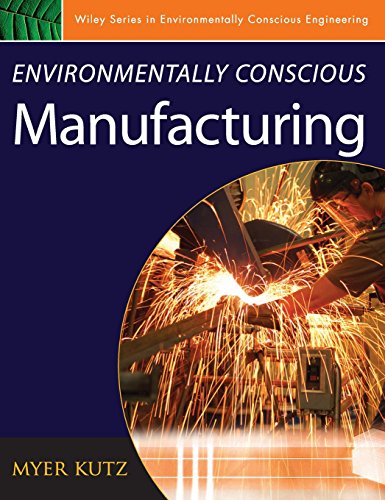
Environmentally Conscious Manufacturing (Environmentally Conscious Engineering, Myer Kutz Series)

The second volume of the Wiley series, Environmentally Conscious Manufacturing focuses on environmentally preferable approaches to manufacturing.  Contributors present and discuss the technologies engineers need to specify and employ to make manufacturing operations environmentally friendly and conform to environmental regulations.  Chapters cover Hazardous Waste Minimization and Management; Cost-Effective Manufacturing; Real-time Process Monitoring and Control; Ethics in ECM; Governmental Regulations and Policies, and Total Quality Management.  In each chapter case studies are provided to guide readers in areas outside their expertise.

Read More

Introduction to Finite Element Analysis Using SOLIDWORKS Simulation 2015

The primary goal of Introduction to Finite Element Analysis Using SOLIDWORKS Simulation 2015 is to introduce the aspects of Finite Element Analysis (FEA) that are important to engineers and designers. Theoretical aspects of FEA are also introduced as they are needed to help better understand the operation.

The primary emphasis of the text is placed on the practical concepts and procedures needed to use SOLIDWORKS Simulation in performing Linear Static Stress Analysis and basic Modal Analysis. This text covers SOLIDWORKS Simulation and the lessons proceed in a pedagogical fashion to guide you from constructing basic truss elements to generating three-dimensional solid elements from solid models. This text takes a hands-on, exercise-intensive approach to all the important FEA techniques and concepts.

This textbook contains a series of fourteen tutorial style lessons designed to introduce beginning FEA users to SOLIDWORKS Simulation. The basic premise of this book is that the more designs you create using SOLIDWORKS Simulation, the better you learn the software. With this in mind, each lesson introduces a new set of commands and concepts, building on previous lessons.

Table of Contents

1. The Direct Stiffness Method
2. Truss Elements in Two-Dimensional Spaces
3. 2D Trusses in MS Excel and the Truss Solver
4. Truss Elements in SOLIDWORKS Simulation
5. SOLIDWORKS Simulation Two-Dimensional Truss Analysis
6. Three-Dimensional Truss Analysis
7. Basic Beam Analysis
8. Beam Analysis Tools
9. Statically Indeterminate Structures
10. Two-Dimensional Surface Analysis
11. Three-Dimensional Solid Elements
12. 3D Thin Shell Analysis
13. FEA Contact Analysis
14. Dynamic Modal Analysis
Index

Read More