Staedtler marsmatic Drawing Ink Cartridges R 00-9 Black 745
Ink cartridges suitable for Staedtler Mars matic technical pens. Available in Black only. Pack of 5 x 0.9ml cartridges with anti-clogging additive.
Read More

Ink cartridges suitable for Staedtler Mars matic technical pens. Available in Black only. Pack of 5 x 0.9ml cartridges with anti-clogging additive.
Read More
The rapidograph uses rotring’s unique capillary cartridge. The pressure-equalization system, including ink helix is part of the ink cartridge which ensures that every time you change the cartridge, you get a clean new ink helix. This means that you never need to clean the ink helix and top reliability is guaranteed.
Read More
The SolidWorks 2015 Black Book is second edition of our series on SolidWorks. With lots of additions and thorough review, we present a book to help professionals as well as learners in creating some of the most complex solid models. The book follows a step by step methodology. In this book, we have tried to give real-world examples with real challenges in designing. We have tried to reduce the gap between university use of SolidWorks and industrial use of SolidWorks. The book covers almost all the information required by a learner to master the SolidWorks. The book starts with sketching and ends at advanced topics like mold design, sheetmetal, and Weldment. Some of the salient features of this book are : In-Depth explanation of concepts Every new topic of this book starts with the explanation of the basic concepts. In this way, the user becomes capable of relating the things with real world. Topics Covered Every chapter starts with a list of topics being covered in that chapter. In this way, the user can easy find the topic of his/her interest easily. Instruction through illustration The instructions to perform any action are provided by maximum number of illustrations so that the user can perform the actions discussed in the book easily and effectively. There are about 900 illustrations that make the learning process effective. Tutorial point of view At the end of concept’s explanation, the tutorial make the understanding of users firm and long lasting. Almost each chapter of the book has tutorials that are real world projects. Project Free projects and exercises are provided to students for practicing. For Faculty If you are a faculty member, then you can ask for video tutorials on any of the topic, exercise, tutorial, or concept.
Read More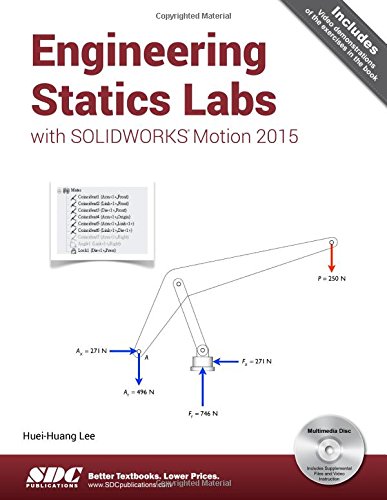
This book is designed as a software-based lab book to complement a standard textbook in a engineering statics course, which is usually taught at the undergraduate level. This book can also be used as an auxiliary workbook in a CAE or Finite Element Analysis course for undergraduate students. Each book comes with a disc containing video demonstrations, a quick introduction to SOLIDWORKS, and all the part files used in the book.
This textbook has been carefully developed with the understanding that CAE software has developed to a point that it can be used as a tool to aid students in learning engineering ideas, concepts and even formulas. These concepts are demonstrated in each section of this book. Using the graphics-based tools of SOLIDWORKS Motion can help reduce the dependency on mathematics to teach these concepts substantially. The contents of this book have been written to match the contents of most statics textbooks.
There are 8 chapters in this book. Each chapter is designed as one week s workload, consisting of 2 to 3 sections. Each section is designed for a student to follow the exact steps in that section and learn a concept or topic of statics. Typically, each section takes 15-40 minutes to complete the exercises.
Each copy of this book comes with a disc containing videos that demonstrate the steps used in each section of the book, a 123 page introduction to Part and Assembly Modeling with SOLIDWORKS in PDF format, and all the files readers may need if they have any trouble. The concise introduction to SOLIDWORKS pdf is designed for those students who have no experience with SOLIDWORKS and want to feel more comfortable working on the exercises in this book. All of the same content is available for download on the book s companion website.
Table of Contents
1. Equilibrium of a Body
2. Trusses
3. Frames
4. Machines
5. Forces in Beams
6. Internal Forces in Cables
7. Friction
8. Moments of Inertia
Index
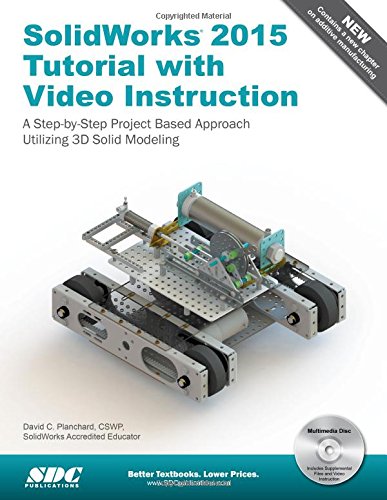
SolidWorks 2015 Tutorial with video instruction is target towards a technical school, two year college, four year university or industry professional that is a beginner or intermediate CAD user. The text provides a student who is looking for a step-by-step project based approach to learning SolidWorks with video instruction, SolidWorks model files, and preparation for the Certified Associate – Mechanical Design (CSWA) exam.
The book is divided into three sections. Chapters 1 – 6 explore the SolidWorks User Interface and CommandManager, Document and System properties, simple machine parts, simple and complex assemblies, proper design intent, design tables, configurations, multi-sheet, multi-view drawings, BOMs, Revision tables using basic and advanced features.
Chapters 7 – 10 prepare you for the Certified Associate – Mechanical Design (CSWA) exam. The certification indicates a foundation in and apprentice knowledge of 3D CAD and engineering practices and principles.
Review Chapter 11 on Additive Manufacturing (3D printing) and its benefits and features. Understand the terms and technology used in low cost 3D printers.
Follow the step-by-step instructions and develop multiple assemblies that combine over 100 extruded machined parts and components. Formulate the skills to create, modify and edit sketches and solid features.
Learn the techniques to reuse features, parts and assemblies through symmetry, patterns, copied components, apply proper design intent, design tables and configurations. Learn by doing not just by reading.
Desired outcomes and usage competencies are listed for each chapter. Know your objective up front. Follow the steps in each chapter to achieve your design goals. Work between multiple documents, features, commands, custom properties and document properties that represent how engineers and designers utilize SolidWorks in industry.
Table of Contents
Introduction
1. Overview of SolidWorks and the User Interface
2. Parts and Assembly Creation
3. Front Support Assembly
4. Fundamentals of Drawing
5. Advanced Features
6. Pneumatic Test Module and Final Robot Assembly
7. Introduction to the Certified Associate – Mechanical Design (CSWA) Exam and Drafting Competencies
8. CSWA Basic & Intermediate Part Creation and Modification
9. CSWA Advanced Part Creation and Modification
10. CSWA – Assembly Creation and Modification
11. Additive Manufacturing – 3D Printing
Appendix
Glossary
Index