Author: CADinfo

SolidWorks Administration Bible

What you need to prepare, install, and maintain SolidWorks

It’s not enough to know how to use SolidWorks, if your job also requires you to install or maintain it, train new users, and implement standards. This in-depth guide was written for those of you who have to actually manage your company’s SolidWorks system. From hardware selection to helping users to licensing and more, this is the everyday, bread-and-butter SolidWorks administration resource that IT and CAD managers have been seeking.

  • SolidWorks is a powerful 3D solid modeling system that is popular with CAD users everywhere, but often leaves IT administrators in the dark as to how to manage it; this essential guide covers SolidWorks admin for both IT staff and CAD users
  • Walks you through preparing, installing, and maintaining SolidWorks
  • Covers setting up shared libraries, automated deployment tools, licensing, updates and upgrades, support and troubleshooting, standardization, and collaboration

Get the high-level assistance you need to efficiently manage SolidWorks in your enterprise or small business.

Note: CD-ROM/DVD and other supplementary materials are not included as part of eBook file.

Read More

SOLIDWORKS 2015 and Engineering Graphics: An Integrated Approach

SOLIDWORKS 2015 and Engineering Graphics: An Integrated Approach combines an introduction to SOLIDWORKS 2015 with a comprehensive coverage of engineering graphics principles. Not only will this unified approach give your course a smoother flow, your students will also save money on their textbooks. What s more, the exercises in this book cover the performance tasks that are included on the Certified SOLIDWORKS Associate (CSWA) Examination. Reference guides located at the front of the book and in each chapter show where these performance tasks are covered.

The primary goal of SOLIDWORKS 2015 and Engineering Graphics: An Integrated Approach is to introduce the aspects of Engineering Graphics with the use of modern Computer Aided Design package SOLIDWORKS 2015. This text is intended to be used as a training guide for students and professionals.

The chapters in this text proceed in a pedagogical fashion to guide you from constructing basic shapes to making complete sets of engineering drawings. This text takes a hands-on, exercise-intensive approach to all the important concepts of Engineering Graphics, as well as in-depth discussions of parametric feature-based CAD techniques.

This textbook contains a series of fifteen chapters, with detailed step-by-step tutorial style lessons, designed to introduce beginning CAD users to the graphic language used in all branches of technical industry. This book does not attempt to cover all of SOLIDWORKS 2015 s features, only to provide an introduction to the software. It is intended to help you establish a good basis for exploring and growing in the exciting field of Computer Aided Engineering.

Table of Contents

1. Introduction
2. Parametric Modeling Fundamentals
3. Constructive Solid Geometry Concepts
4. Geometric Constructions
5. Feature Design Tree
6. Geometric Construction Tools
7. Orthographic Projections and Multiview Constructions
8. Dimensioning and Notes
9. Tolerancing and Fits
10. Pictorials and Sketching
11. Section Views & Symmetrical Features in designs
12. Auxiliary Views and Reference Geometry
13. Threads and Fasteners
14. Working Drawings
15. CSWA Exam Preparation
Appendix
Index

Read More

Parametric Modeling with SOLIDWORKS 2015

Parametric Modeling with SOLIDWORKS 2015 contains a series of sixteen tutorial style lessons designed to introduce SOLIDWORKS 2015, solid modeling and parametric modeling techniques and concepts. This book introduces SOLIDWORKS 2015 on a step-by-step basis, starting with constructing basic shapes, all the way through to the creation of assembly drawings and motion analysis.

This book takes a hands-on, exercise-intensive approach to all the important Parametric Modeling techniques and concepts. Each lesson introduces a new set of commands and concepts, building on previous lessons. The lessons guide the user from constructing basic shapes to building intelligent solid models, assemblies and creating multi-view drawings.

This book also covers some of the more advanced features of SOLIDWORKS 2015 including how to use the SOLIDWORKS Design Library, basic motion analysis, collision detection and analysis with SimulationXpress.

The exercises in this book cover the performance tasks that are included on the Certified SOLIDWORKS Associate (CSWA) Examination. Reference guides located at the front of the book and in each chapter show where these performance tasks are covered.

Table of Contents

Certified SOLIDWORKS Associate (CSWA) Exam Overview
1. Getting started
2. Parametric Modeling Fundamentals
3. Constructive Solid Geometry Concepts
4. Feature Design Tree
5. Geometric Relations Fundamentals
6. Geometric Construction Tools
7. Parent Child Relationships and the BORN Technique
8. Part Drawings and Associative Functionality
9. Reference Geometry and Auxiliary Views
10. Symmetrical Features in Designs
11. Advanced 3D Construction Tools
12. Sheet Metal Designs
13. Assembly Modeling – Putting it all Together
14. Design Library and Basic Motion Study
15. Design Analysis with SimulationXpress
16. CSWA Exam Preparation
Index

Read More

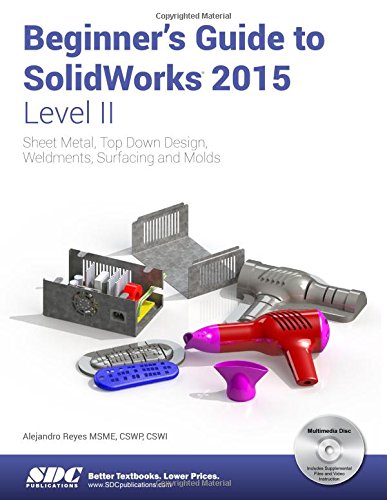
Beginner’s Guide to SolidWorks 2015 – Level II

Beginner s Guide to SolidWorks 2015 Level II starts where Beginner s Guide Level I ends, following the same easy to read style and companion video instruction, but this time covering advanced topics and techniques.

The purpose of this book is to teach advanced techniques including sheet metal, surfacing, how to create components in the context of an assembly and reference other components (Top-down design), propagate design changes with SolidWorks parametric capabilities, mold design, welded structures, and more while explaining the basic concepts of each trade to allow you to understand the how and why of each operation.

The author uses simple examples to allow you to better understand each command and environment, as well as to make it easier to explain the purpose of each step, maximizing the learning time by focusing on one task at a time.

This book is focused on the processes to complete the modeling of a part, instead of focusing on individual software commands or operations, which are generally simple enough to learn.

At the end of this book, you will have acquired enough skills to be highly competitive when it comes to designing with SolidWorks, and while there are many less frequently used commands and options available that will not be covered in this book, rest assured that those covered are most of the commands used every day by SolidWorks designers.

The author strived hard to include the commands required in the Certified SolidWorks Associate test as listed on the SolidWorks website, and some, as well as several more.

Now Includes Video Instruction

Each copy of this book now includes video instruction. In these videos the author provides a visual presentation of tutorials found in the book. The videos reinforce the steps described in the book by allowing you to watch the exact steps the author uses to complete the exercise.

Table of Contents

Introduction
1. Multi Body Parts, Sketch Editing and Other Tools
2. Sheet Metal and Top Down Design
3. 3D Sketch and Weldments
4. Surfacing and Mold Tools
Final Comments
Index

Read More

Learning Mastercam X7 Mill 2D Step by Step

 Overview

This unique text presents a thorough introduction to Mastercam X7 Mill for students with little or no prior experience. It can be used in virtually any educational setting — from four-year engineering schools to community colleges and voc/tech schools to industrial training centers — and will also serve as a reliable reference for on-the-job use or as a self-study manual. The award-winning authors have carefully arranged the contents in a clear and logical sequence and have used many hundreds of visuals instead of wordy explanations. Two enclosed CDs contain Mastercam X7 Demo and also include examples and exercises from the text for student practice.


Features

    Emphasizes student-friendly graphical displays in place of long explanations and definitions. Includes an overview of the process of generating a word address program. Presents numerous examples that provide step-by-step instructions with graphical displays. Eliminates flipping between pages by featuring all explanations on the same page as the example. Contains exercises at the end of each chapter. Features a process plan for many machining exercises to indicate the machining operations to be performed and the tools to be used. All operations now done in Windows 7. Includes the new Verifier. Includes the new Code Expert. Features editing solid models imported from other CAD packages such as SolidWorks.

Read More