Technical Positions at Boeing Research & Technology Alabama
Technical Positions at Boeing Research & Technology Huntsville, Alabama
Read More
Technical Positions at Boeing Research & Technology Huntsville, Alabama
Read More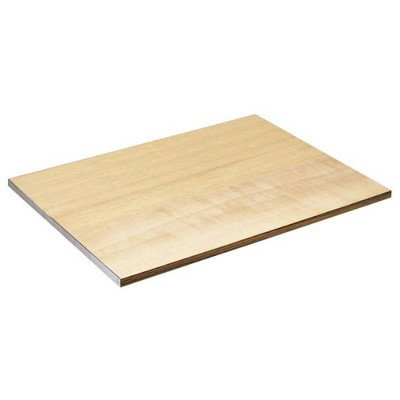
This Alvin drawing and drafting board, 18″ x 24″, features permanently true metal edges. It is light weight, full 5-ply, 3/4 inch thick board. It offers the artist smooth wooden surfaces on both sides with no visible glue joints.
Read More
SOLIDWORKS 2015: A Power Guide for Beginner and Intermediate Users textbook is designed for instructor-led courses as well as for self-paced learning. This textbook is intended to help engineers and designers who are interested in learning SOLIDWORKS for creating 3D mechanical design. It will be a great starting point for new SOLIDWORKS users and a great teaching aid in classroom training. This textbook contains of 13 chapters covering major environments of SOLIDWORKS: Part, Assembly, and Drawing which teaches you how to use the SOLIDWORKS mechanical design software to build parametric models and assemblies, and how to make drawings of those parts and assemblies. This textbook is not only focuses on the uses of tools/commands of SOLIDWORKS but also on the concept of design. Every chapter of this textbook contains tutorials which intend to help user to experience how things can be done in SOLIDWORKS step by step. Moreover, every chapter ends with hands-on test drives which allow users of this textbook to experience themselves the ease-of-use and powerful capabilities of SOLIDWORKS.
Table of Contents:
Chapter 1. Introduction to SOLIDWORKS
Chapter 2. Drawing Sketches with SOLIDWORKS
Chapter 3. Editing and Modifying Sketches
Chapter 4. Applying Geometric Relations and Dimensions
Chapter 5. Creating First/Base Feature of a Solid Model
Chapter 6. Creating Reference Geometries
Chapter 7. Advanced Modeling I
Chapter 8. Advanced Modeling II
Chapter 9. Patterning and Mirroring
Chapter 10. Advanced Modeling III
Chapter 11. Working with Assemblies I
Chapter 12. Working with Assemblies II
Chapter 13. Working with Drawing
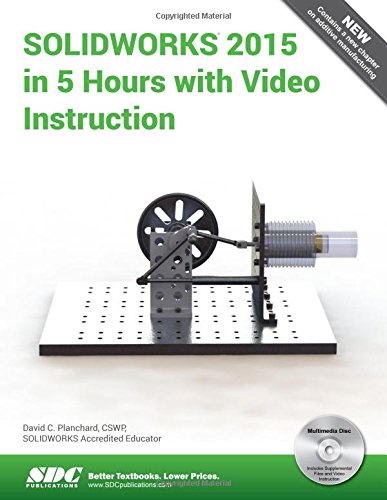
SOLIDWORKS 2015 in 5 Hours with video instruction introduces the new user to the basics of using SOLIDWORKS 3D CAD software in five easy lessons. This book is intended for the student or designer that needs to learn SOLIDWORKS quickly and effectively for senior capstone, machine design, kinematics, dynamics, and other engineering and technology projects that use SOLIDWORKS as a tool. Engineers in industry are expected to have SOLIDWORKS skills for their company s next project. Students need to learn SOLIDWORKS without taking a formal CAD course.
Based on years of teaching SOLIDWORKS to engineering students, SOLIDWORKS 2015 in 5 Hours concentrates on the areas where the new user improves efficiency in the design modeling process. By learning the correct SOLIDWORKS skills and file management techniques, you gain the most knowledge in the shortest period of time.
You develop a mini Stirling Engine and investigate the proper design intent and constraints. The mini Stirling Engine is based on the external combustion, closed cycle engine of Scottish inventor, Robert Stirling. In addition to 3D modeling, the engine can be used to teach and connect many engineering and physics principles.
You begin with an overview of SolidWorks and the User Interface (UI), its menus, toolbars and commands. With a quick pace, you learn the essentials of 2D sketching, part and assembly creation, preform motion study, develop detailed part and assembly drawings and much more.
View the provided videos for each section of the book to enhance your experience.
Table of Contents
1. Overview of SOLIDWORKS and the User Interface
2. 2D Sketching, Features and Parts
3. Assembly Modeling
4. Design Modifications
5. Drawing Fundamentals
Appendix
Index
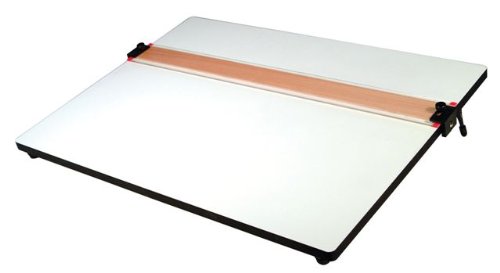
18″x24″ PXB board w/ parallel straight edge.
Read More