
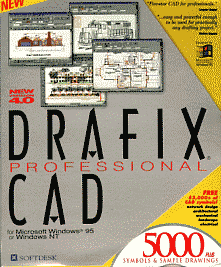
The essential difference between Drafix QuickCAD and Drafix Professional CAD is that the latter includes a programmable interface and a CD ROM of pre-drawn symbols.
Editor’s Note: These products are now long discontinued, and these articles are retained only because of their constant popularity. See the foot of the article for alternative recommendations.
Design and Drafting
Everything I said about QuickCAD applies equally to Drafix Professional CAD. It is the same program in this department. I found the drawing controls difficult to master and even after spending some time trying to draft up various projects, I never really got any faster. Essentially all the tools are there, but the program lacks the shortcuts required for fast use.
Drafix certainly enables you to do accurate design and drafting, but I just couldn’t get the hang of doing it quickly.
Drafix Professional CAD The distinguishing features of this professional version of Drafix CAD software is the programmable interface and the symbol library.
Macro Language
Drafix describes its macro language as similar to the C programming language. That’s probably enough to frighten off the first half of any group of people looking for programmability in a CAD program. The syntax and programming structure is certainly similar to C. However the macro language is not as complicated as C.
 The range of functions and access to the drawing database is excellent. The command syntax is consistent and quite easy to learn. The most common procedures people would want to automate would be environment routines on startup, exit and opening a new drawing. These events are all serviced by specific functions. Other design and drawing tasks you might want to automate include parametric drawing tasks that require designer input, routine editing tasks and text manipulation. Macros can operate on multiple drawings in sequence (batch processing) and interact with other Windows applications through dynamic data exchange (DDE).
Macros for Drafix must be edited in the Macro Editor inside the program. The online help is comprehensive and very good. As well as including an excellent tutorial section, all of the items I looked up included example code that was both instructive and useful (a rare combination).
The also includes some ready-to-use macros ready to use. Unfortunately, none of them are documented, so you will need to open them in the editor and experiment to find out what they do.
Drafix macros are not protectable, so there if you intend to distribute them, the source code is available for anyone to edit.
Symbol Library
Symbol libraries are one of the greatest productivity aids of all time. Working on the “draw once” principle, symbols are simply placed on new drawings as required. The success of libraries lies in their capacity to either cover the majority of differences you might require in your work, or provide the flexibility you might need.
Drafix Professional goes for the bulk solution in shipping a CD-ROM of 5000+ symbols. The library categories include the regulars such as AEC, Electrical, Home, Landscape, Mechanical, Network and Office. The libraries contain a wealth of data and probably sufficient to satisfy most designers who have fairly standard requirements. Some of the symbols may need adjusting to suit requirements, but this is easily done.
Conclusion
The Drafix symbol library with 5000+ symbols sounds like it contains a lot of symbols. The number of symbols bears little relationship to the value. There are entire areas of the library that most users will never want to use. Even so, the inclusion of the library will save many people many hours or even days of work.
The inclusion of the macro language makes Drafix a worthwhile design and drawing automation tool. It has the power to accomplish any repetitive and time-consuming drawing tasks with ease.
Drafix Professional is a good program for someone who likes the interface and can work comfortably with it. It is powerful enough to handle sophisticated design automation.
The only worry I have with recommending Drafix is its life expectancy. As a Softdesk product, it is now an Autodesk product, and the only real Autodesk product is AutoCAD. Therefore Drafix does not appear to have a rosy future. With this uncertainty surrounding Drafix, any investment in time learning and developing automated applications within it might not be a prudent investment of your time – and at the end of the day, with CAD, that is the biggest investment you will have to make.
Drafix QuickCAD
Paraphrasing QuickCAD’s packaging “faster, easier”. This entry-level CAD package is a good way to get started in CAD and without a heavy investment in capital or time.
Preface
Technical drawing provides design solutions and simultaneously becomes the communications device that explains our ideas to others.
Drawing board, tee-square, set square, pencil and paper as a drawing system provide quite as good a set of tools as necessary to achieve the goals of technical drawing. Like any toolset, the skill of the user greatly affects the resulting outcome. No more so with traditional drafting than with computer-based tools. However, computer aided design/drafting tools offer an opportunity to reduce the level of skill required in some areas and provide a means of automating much of the repetition.
Computer-aided drafting tools also provide consistent presentation quality. Consistent presentation quality is perhaps the skill requiring the highest level of achievement in traditional drafting. As those who can remember the countless hours of lettering practice each morning before work will attest.
In reviewing QuickCAD, I set about addressing these criteria, which I considered important aspects that any CAD program should provide:
- Emulation of traditional drafting techniques
- Accuracy
- Dimensioning
- Other CAD compatibility
- Automation
- Presentation
- Efficiency
In the Beginning
A low-cost CAD package (A$129) from a recognised name in the CAD is a tempting tool when you are looking for a CAD package for casual or intermittent use.
QuickCAD is well presented and well documented and includes some of the facilities and functions found in higher level CAD packages. While it is fast and easy to create drawings with QuickCAD, I did not find it fast and easy to design and draft with the precision and flexibility that expected to find.
The fastest way for people used to drafting to get into CAD is to imitate on the computer the kind of tools and procedures that are used to using in manual drafting.
QuickCAD draws lines and multiple lines quickly and easily. Creating accurate start and finish points of such line work is vital to accurate drafting, but it is not intuitive or even easy to find. For example to draw a line from the end point of another line you need to modify the line command with “E” for endpoint. Easy enough once you work out where to find on the toolbars the modifiers are lurking, or after you’ve committed the modifiers to memory. However, drawing a line tangential to a circle requires one to pick the tangent line commend rather than the line command modified by a “tangent to” control. How come?
Design drafting depends on accurately connecting lines. How fast you can draw depends on how easy it is to connect the lines. You can use the snap grid to help you to start and finish lines with precision, or in QuickCAD terms, “input mode” with “lock modifier”. The latter method is the most versatile, but it will require some practice to use. For speedy work, you will need to memorise the input mode letters and enter them on the keyboard as you draw. Another real problem is the proximity sensitivity of the selection cursor when you are selecting entities for your input mode. When the linework begins to get a little dense, it’s hard to accurately pick the entity you want. The sensitivity of the selection cursor is such that sometimes being right on a line will not select it, but having the cursor the right distance away from it (not even touching) will select it.
Multiple parallel lines are restricted to two lines that seem to be a preset distance apart. I could find no way of adjusting the spacing or the offset. Even if this was valuable, it is unlikely that the method of drawing them would be. The pick points that QuickCAD prompts to define the centreline of the line set. Centrelines are useful for some aspects of mechanical work, but many applications require line work to be offset to one side of a control plane. Walls, for example, are designed, drawn and dimensioned with reference to one side or the other.
The drawing grid and snap reference are useful tools, but their use is limited because they relate to the drawing page, not to the drawing origin or even to the printable area on the drawing page. Line lengths can be entered from the keyboard, or gauged by reading the coordinate and delta dials on the screen. Horizontal and vertical rulers with definable zero point would be a useful addition.
Some of the most valuable lines drawn during design are never seen in the final drawing output. Construction lines are great time savers, but there is no construction line facility.
Dimensions
Dimensioning in QuickCAD is very easy and fast. Dimension appearance is also easily controlled. Of all documentation tasks dimensioning is the most daunting for beginners and error-prone even for experienced drafters. Dimensions are not associative, so you have to alter them if you alter the geometry.
Dimensions can be resized like any other entity, but not always as efficiently. The handle box that surrounds dimensions references the entire dimension entity. Depending on the size of the dimension you are resizing you could be resizing the outside ends of the arrows, rather than the extension lines defining the dimension distance. If you get to this situation, Resizing dimensions should always relate to the dimension, not the arrows!
Presentation
Symbol libraries are accessible through floating toolbars and would save a lot of drawing time. They are customisable, and you can create your own libraries quite easily. There are only three libraries provided with QuickCAD; one each for architecture, electrical engineering and mechanical engineering. There is no symbol library containing title blocks, borders, and other drawing symbology that is used on practically every drawing would be useful
Line weights are selectable from a choice of six non-descript thicknesses. While this allows an adequate range of weights, thicknesses are relative only to themselves, not to a standard of any sort. Consequently, they will also output differently on different printers.
The output is clean and quite fast and the linework is crisp.
Document Management
QuickCAD is a single sheet document output program. There is no facility for multiple sheet sets. It supports any sheet size that is supported by Windows for your printer or plotter.
There no specific tools provided for document management.
Raster Overlay An out-of-the-ordinary feature of QuickCAD is its raster overlay facility. This allows you to open a BMP or DIB format file in your QuickCAD editor. Although you can’t select or snap to anything on the image, you can use it to trace over. While this is one way to transfer paper-based drawings into an electronic system, the facility is very basic. Essential functions of aligning snap grids and setting scale factors, which would facilitate fast, accurate work, are missing from QuickCAD.
Automation
Computerising any task achieves monster productivity gains where tasks can be automated. QuickCAD provides limited automation symbol libraries and database facilities. Even then databases are integrated with drawing files and only accessible from QuickCAD or through a QuickCAD export file.. There is no macro facility or programmable interface to automate repetitious tasks.
Cross-CAD Compatibility QuickCAD will import files from AutoCAD (DWG and DXF), DesignCAD 2D, Drafix CAD programs, HPGL (plotter) files, Planix (HOM and PLX) and Windows Metafiles.
QuickCAD opened a number of AutoCAD R12 DWG files interpret the data well in most cases. In some instances, dimensional text was drawn incorrectly, and in another case a drawing refused to load, rapidly presenting a couple of error messages as it crashed QuickCAD altogether.
Drawings imported OK, with layers and line colours intact. Working with anything but simple drawings in QuickCAD becomes very tedious. Trying to select entities to manipulate is difficult as discussing in Dimensioning above and reconfiguring display, and dimensional settings seem universally required.
Conclusion QuickCAD is a good introduction to CAD, but most users will quickly find themselves at the limit of capability of QuickCAD. Even if the target user is a beginner or casual CAD user, the facilities available are limited in their capacity to provide any real productivity gains.
As a teaching tool, QuickCAD could introduce students to the basics of CAD, but even then, many of the really useful functions of CAD are limited in QuickCAD or missing altogether.
Quick CAD is not suitable for professional work and will frustrate anyone using it to produce drawings in a time-equals-money situation. It is very suitable and a great buy for a hobbyist, do-it-yourselfer, or casual home use. Anyone who wants to create simple, accurate drawings, verify dimensions and is not too worried how long it will probably find QuickCAD just the shot.
Perhaps this is the software that Drafix Professional CAD, QuickCAD’s big brother fulfils the nagging doubts I have about QuickCAD.
UPDATE – 2009
As predicted Drafix Pro and QuickCAD ended up on the scrap heap, and CADinfo.net still gets a regular stream of emails asking where they can be purchased, where to buy upgrades and how to convert Drafix and QuickCAD files to other formats.
Sorry guys, no longer for sale, no upgrades available and no way of converting Drafix files to another format. You’ll have to do all those drawings again. Hope you’ve got hard copies.
Obvious replacements would be AutoSketch or AutoCAD LT, but neither of these have any macro programmability which was such a great feature of Drafix. Any of the IntelliCAD versions (AcceliCAD, CADopia, ProgeCAD) provide excellent macro programmability and DWG compatibility a price way less than AutoCAD LT. Worthy of consideration. TurboCAD also has to be a strong contender offering macro programming, access to vast symbol libraries, specific versions for architectural and mechanical work and support for Windows and Mac.
If you are interested in fast, simple drawings, then take a look at SmartDraw. It is a diagramming package that is fast and easy and allows you to create good looking drawings without a steep learning curve.








Drafix runs fine in Windows 7. I’m running Drafix Pro on a 64-bit WIndows 7 Ultra machine. Here’s what to do…
Create a folder called Softdesk under the Program Files folder. Then copy all the files under the Softdesk folder on your old Windows XP machine, to the same location on the Win 7 machine. Find “cad.exe” and double-click it to run Drafix, or right click and add it to the start menu.
The first time you do this you will get a message saying the program has not been installed correctly and do you want to continue anyway. Enter your name, as requested, and hit OK. You are done except for sorting out the location of the symbols libraries. I haven’t figured that out yet.
If you do, please post the solution here.
I am in a desperate situation….I had to replace my computer and when I went back to the Drafix software box the disk was not there!!! Please help…..is there anywhere I can download or get a copy of the software. I know it is no longer fro sale from
AutoDesk…I have maybe 250 files I can no longer open and I NEED some of them for a new project.
You can save the Quick Cad files as a .dwf file and import to AutoCAD…Also I still use my copy…wish I has not lost the code to unlock professional…
Robert Green, I will give you a copy of mine….
I solved the problem of running in windows 7, by running XP from 7.
Drafix CAD Pro installs and runs on 64-bit Win 7 Ultimate!
I just tried what someone else had posted. It was so simple I almost didn’t try.
All you do on the Win 7 machine is create a folder called Softdesk under the Program files folder. Then copy all the Drafix files under the Softdesk folder on the XP machine, into the same folder on the Win 7 machine. Find the file cad.exe and run it or pin it to the task bar or start menu.
Still haven’t figured out the symbol library problem, but will post a solution if I find one.
didn’t think it would bowrk.
I am running Drafix CAD Pro on my old 32-bit Win XP machine and would like to install it on my new Win 7 Ultimate (64-bit) machine, but am unable to do so. I see from comments above that it may be possible to do so. If anyone knows how and can outline the steps I’d be most grateful. Many thanks!
I’m surprised at the comments about not being able to convert Drafix drawings. I am able to convert all my old Drafix drawings to any number of formats, including Autocad compatible, by using Drafix export feature. I haven’t lost anything. I just wish I could find another Cad program (that runs on 64-bit Win) that is half as good.
Has anyone had any luck with using Drafix on a Mac?
Has anyone had any luck using Drafix on a Mac?
Does anyone have a copy of the Drafix CAD CD-ROM [uncompressed] symbol library that they could send me? T.I.A.
Drafix CAD will not ‘install’ under Windows7, but if you have it loaded [an installed version] on an old [up to Win XP] machine you can copy it to a Softdesk folder on a Win7 machine. The problem I’ve found is that the Symbol libraries were in ‘compressed’ format and were unusable. You need [I guess] the CD-ROM that contains the uncompressed symbols.
This Drafix CAD SHOULD NOT WORK under Win7 as Microsoft controls all the vendors via their Registry set up. I think that since Version 4 was done under Win95 they had not introduced this control yet. As a consequence you CAN use Drafix CAD this way.
I am in need of a copy of Drafix CAD Professional ver 4.11 The Disks that we had have been lost.
Is it possible to install on a XP OS computer? Or is it best to just get a copy of Drafix Quick CAD and translate all drawings?
Any assistance would be appreciated
Dave Hayes
I have a copy my legal version of Drafix and have used it for the last 10+ years. It does work on Windows 7, but you have click a few extra buttons to launch it. It does not Work for OLE in power point. If any one needs some help I might be able to help with old file. [email protected]
If anyone would like to sell their copy of Drafix Cad Pro, I would like to buy it! My copy was stolen and I’d like to replace it!!!
[email protected]
Drafix was the best 2D graphics program I ever used: easy to learn and powerful. Autocad(Autodesk) bought them out and destroyed them.
Windows 7 does not support Drafix.
Now I am stuck with hundreds of excellent Drafix drawings and do not know how to convert them to a current 2D cad program (like Draftsight).